 INPUTUNIVERSAL
Download InputUniversal.
The Windows app, current interface, controller installers and updated guide in one ZIP.
No purchase or activation key required. You can share this page with friends.
- Exit the old copy and extract the whole ZIP.
If the app is running, exit from its icon beside the Windows clock. Keep the UI folder and DLLs together in a permanent location.
- Open InputUniversal.exe.
For controller output, follow the included Controller setup instructions. Moving the app changes the path HidHide needs to allow.
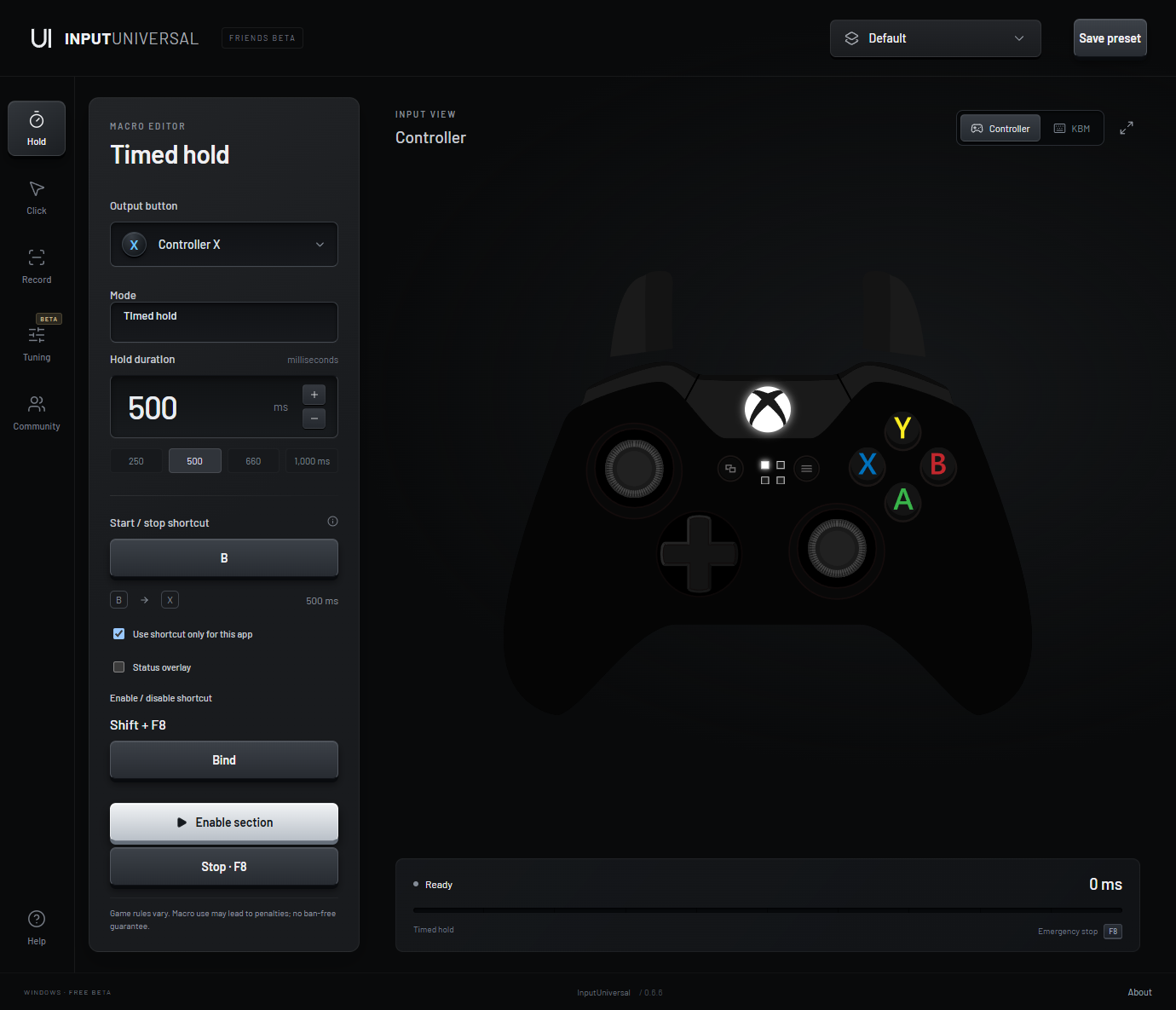
- Choose a mode, bind a shortcut, enable the section.
Use Save preset to keep your setup. Press F8 to lock macros off; re-enable them explicitly in the app.
Updating from an older download?
Check that the app shows 0.6.8. Your saved settings live separately from the extracted app. Keep your existing copy until the updated one opens correctly.
Latest changes
Run mouse pull alongside repeat or playback. Require LMB + RMB for held repeat. Tab switching keeps the active macro running. F8 blocks every enable binding until you re-enable in the app.
Hold a bound trigger to repeat an output. Release it to stop. The selected click limit applies per hold.
Saved setups, completed-recording recovery, mouse pull and cleaner binding controls.
Controller output visualization, mouse recording fixes and direct button-binding capture.
What’s included
InputUniversal.exe, its UI and required app DLLs, controller-driver installers, license notices and START HERE.html.
Microsoft WebView2 Runtime may need separate installation. Controller drivers are only needed for controller output.
Windows 10/11 x64. Xbox/XInput-compatible controllers. No direct console or native DirectInput-only support.
Controller setup →Still a beta
Windows output tests passed for the documented controls. Individual game compatibility remains unverified. Follow the rules of the app or game you use.