Timed holds & mouse pull
Hold an output for a set duration, or move the mouse downward while LMB and RMB are held together. Mouse pull has its own enable switch.
 INPUTUNIVERSAL
Timed holds, repeated presses and recorded sequences. Configure your inputs in a Windows app, then save your setup as a preset.
Windows 10/11 · 64-bit · No purchase or activation key required
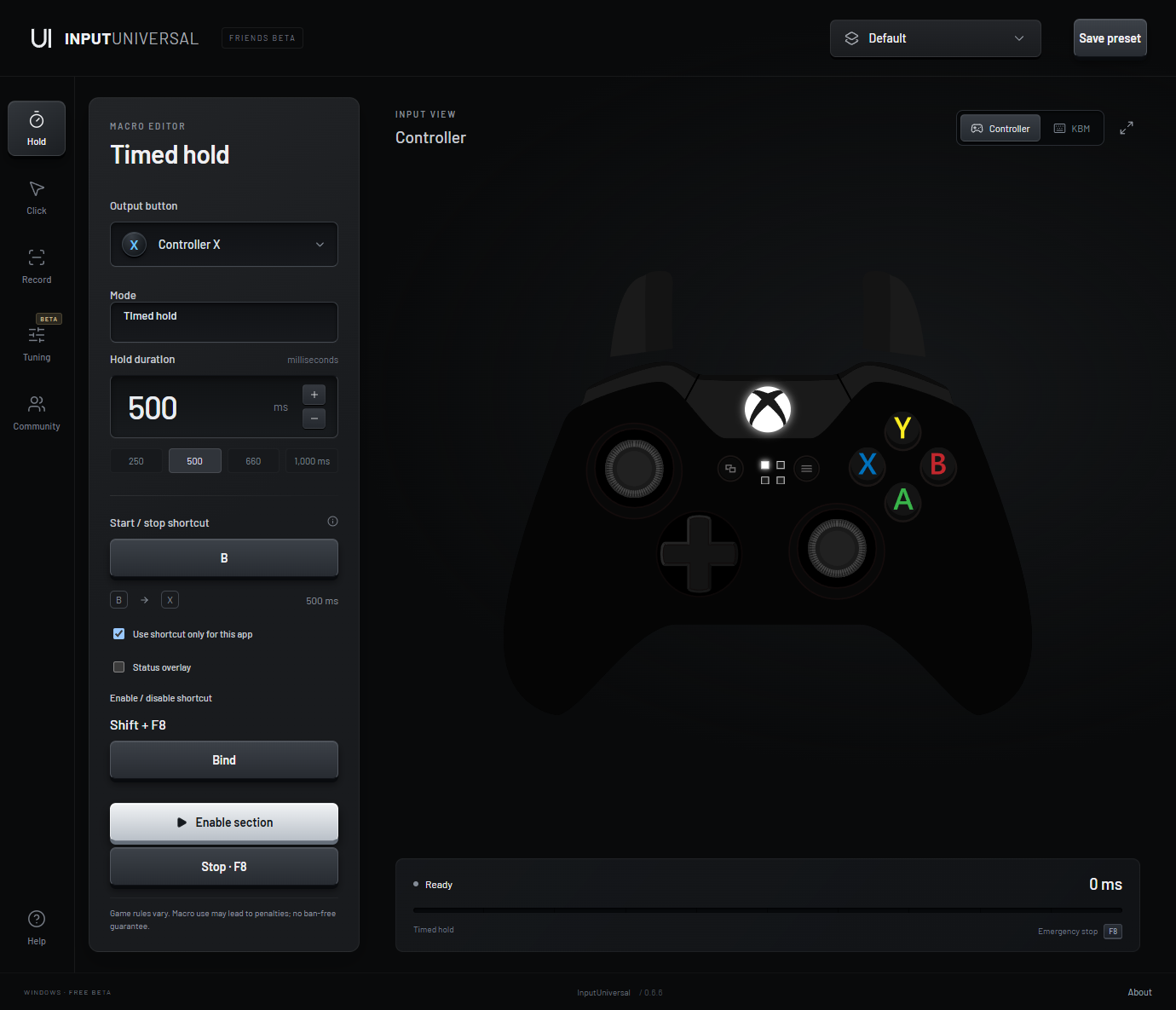
Hold an output for a set duration, or move the mouse downward while LMB and RMB are held together. Mouse pull has its own enable switch.
Choose the output, interval and a total of up to 99,999 presses. Repeat while your shortcut is held, or require LMB + RMB together.
Capture keyboard, mouse and connected controller actions. Choose desktop cursor or relative camera movement, then adjust playback speed and loops.
Save settings and recordings together. The last setup and completed recording recover after reopening, with shortcuts disabled.
Browse public profiles and save them locally. Publish only the profiles you choose. Imported profiles never start automatically.
Adjust stick deadzones, response and trigger settings through a virtual controller. Tuning needs the app running and the controller setup completed.
Click Bind and press your keyboard key, modifier combination, mouse button or controller button. The assigned shortcut is displayed by name.
Mouse pull can stay enabled alongside repeat clicks or recorded playback. Timed hold, click and playback still run one at a time.
Set up combined mouse pull and repeat →The complete friends download includes the app, interface assets, controller installers and setup instructions.
Get the friends betaThe paid version is not on sale. Checkout and purchase activation have not launched. The current friends beta is free to share.
Xbox/XInput-compatible controllers on Windows, including supported Xbox and GameSir modes. Controller output requires ViGEmBus and appropriate HidHide setup. This is not a console app; native PlayStation/DirectInput-only modes are not directly supported.
No. Results depend on the game’s input handling, sensitivity and rules. Very short presses can be missed. There is no game-specific compatibility or ban-free guarantee.
Settings, presets and recordings stay local unless you explicitly publish a profile to Community. Published profiles are public. Review recordings for private typing before sharing.
No. Hardware mouse DPI and keyboard actuation are not supported. Controller tuning affects the virtual output while the app runs.